Enable Wake me on Lan via special network packet
How to enable wake me on Lan via special network packet
To allow the computer to be powered on lan via a special network packet (
How to Sent Wake On Lan packet on the network
).
You must enable it:
-
in the bios generally under the name of Enable wake on lan for PCIE
-
from the Device Manager:
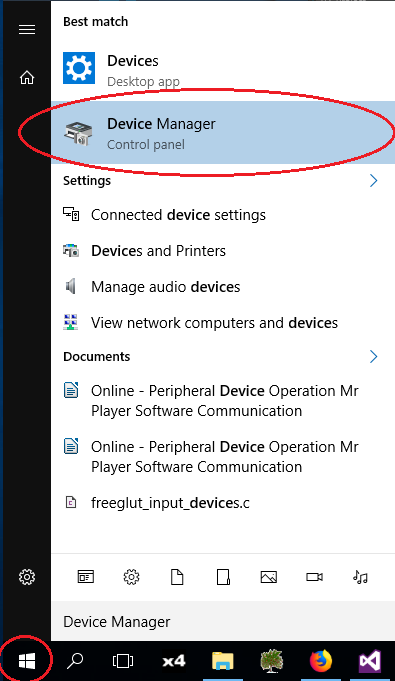
First type Device Manager in the Windows Menu:
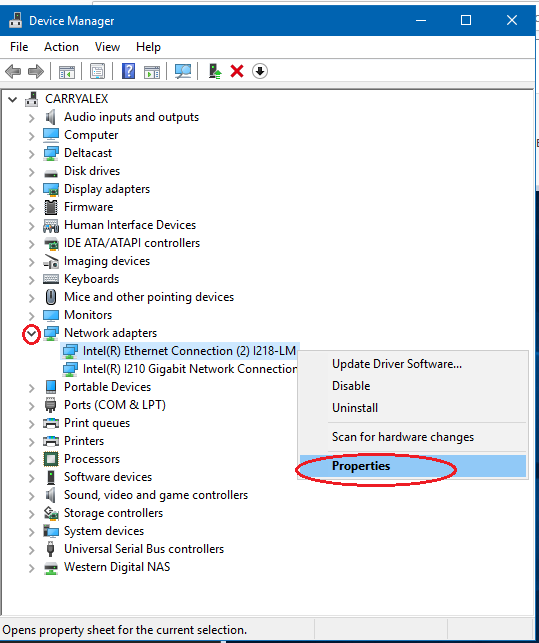
Then unroll Network Adapters tree item and modify properties of each concerned network adapter:
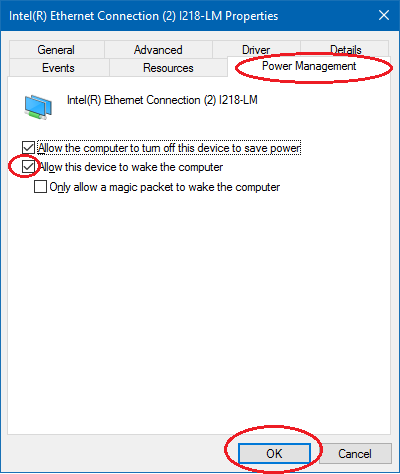
Then go in the power manager tab and check “Allow this device to wake the computer”.
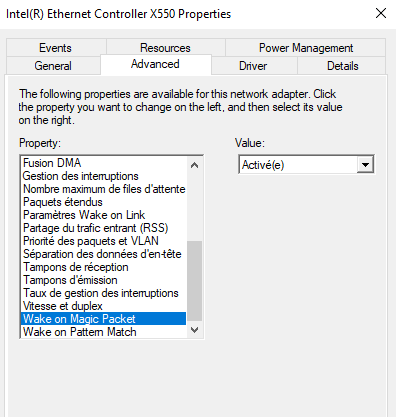
Some network card need to have the PME enabled
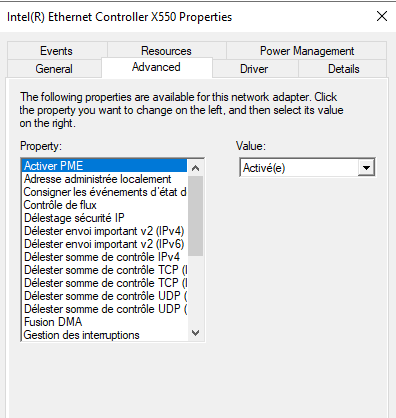
and the magic packet to On
If this does not work please refer to your motherboard manual or network card manual