10 bit colors Output
Enable 10 Bits support for the Standard Output
Your output needs to be in full screen. You may also need to enable Mosaic/Eyefinity for it to work with multiple displays.
Nvidia
!! Activating 10-bit can result in the NVIDIA driver crashing and instability in video export, especially on not pro cards.
In the NVIDIA Control Panel, set your desktop color depth to 30 bits and the output color depth to 10 bpc, as shown below:
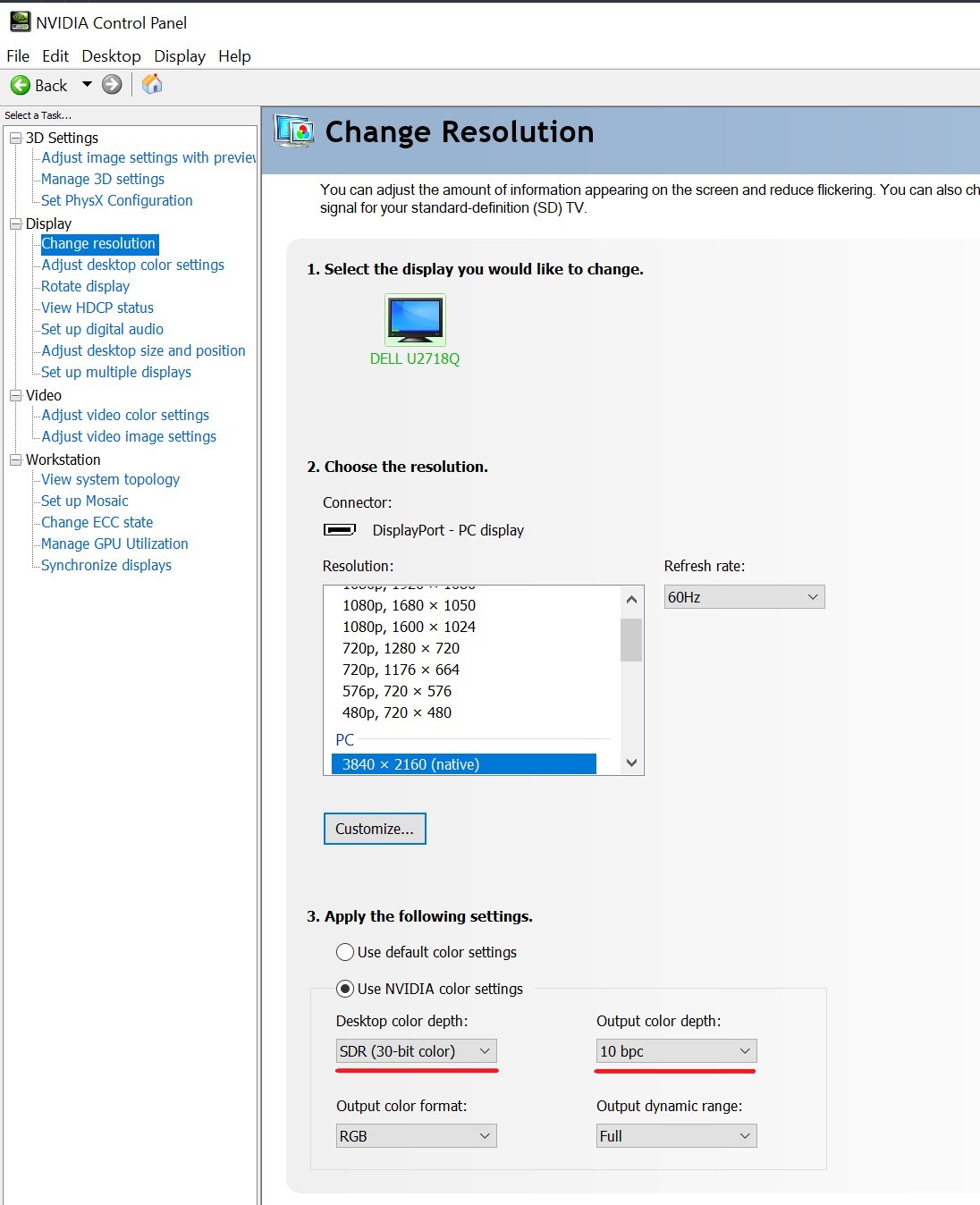
After pressing Apply, always verify all the screen parameters, as the GPU is validating the bandwidth capacity with these new parameters and will revert them if the cable, adapter or screen are not capable of transferring the higher bit depth.
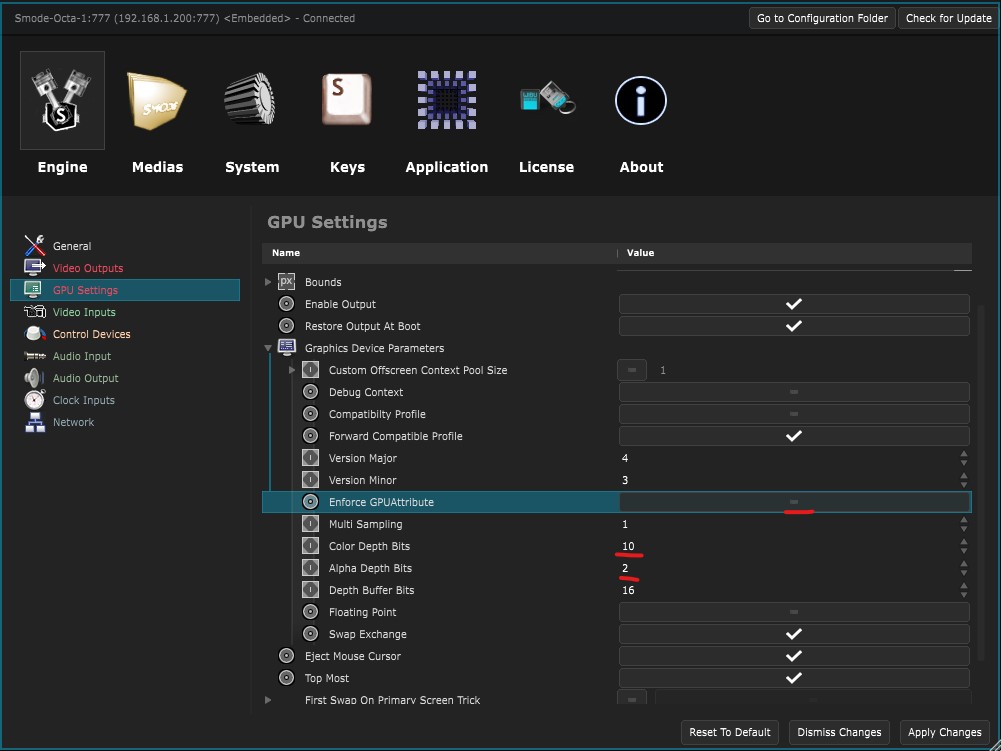
Then, in Smode
Preferences panel
, in
Engine Preferences
, in the ‘GPU Settings’ section,
change the ‘Color Bit Depth’ to 10 bits and restart SMODE
AMD
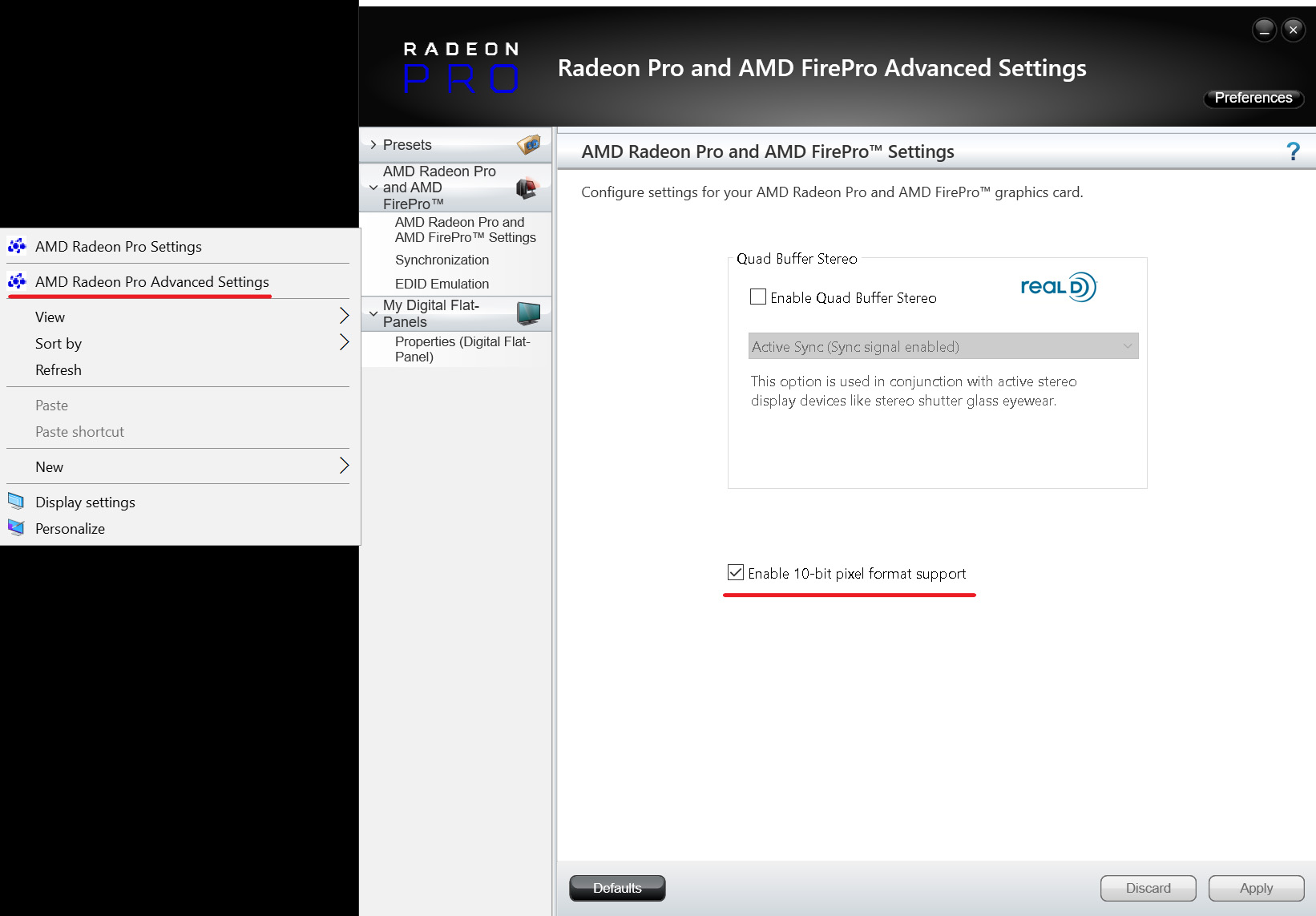
In the AMD Advanced Settings, enable the 10-bit pixel format support:
Then, in Smode
Preferences panel
, in
Engine Preferences
, in the ‘GPU Settings’ section,
change the ‘Color Bit Depth’ to 10 bits
Verify the settings
To test your setup, you can download this image: 10_bits_test_image.tif
Create a new
 Compo
, set its pixel type to 10 bits or higher, and
Compo
, set its pixel type to 10 bits or higher, and
 Enable Output
.
Enable Output
.
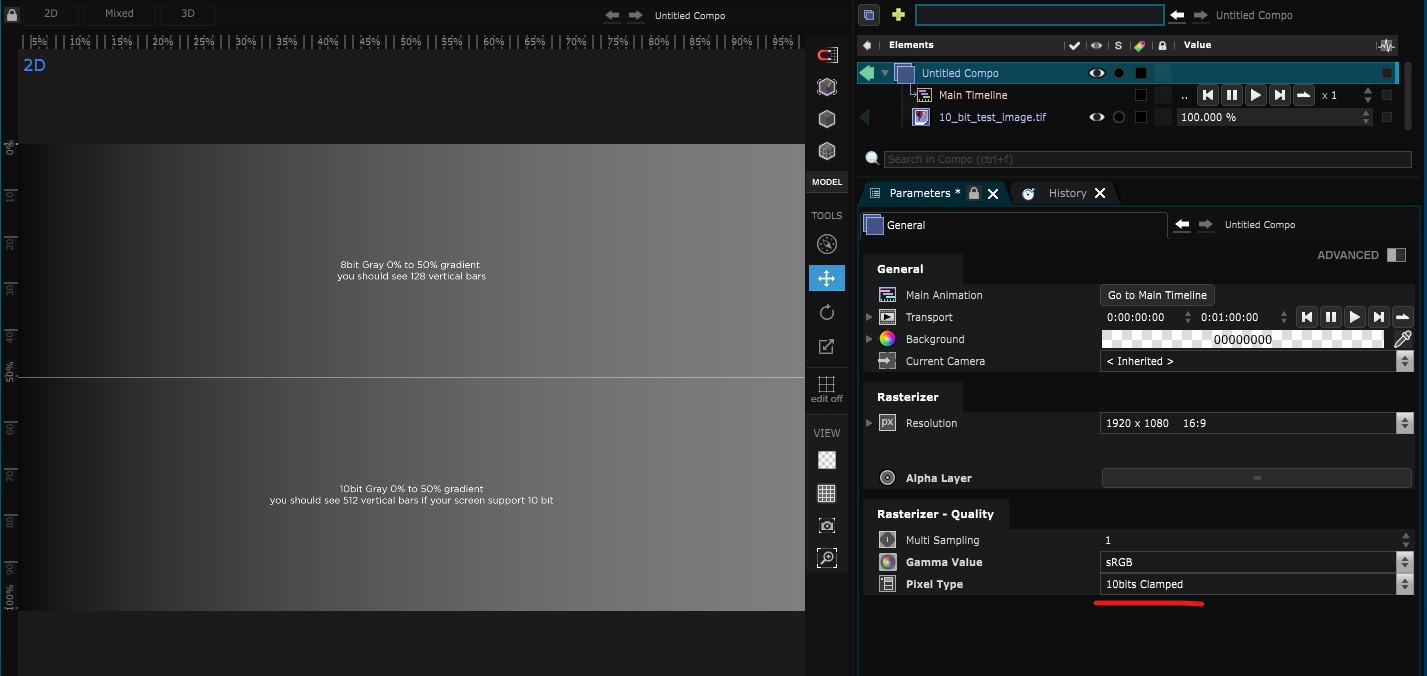
10-bit colors aren’t supported in the Smode Viewport, so you can only test them on the output.
This TIFF image is split in half: the top half has an 8-bit gradient, so you will always see banding, and the bottom half has a 10-bit gradient, so you should see less banding.
In a Project
If you are working within a Project, make sure that your project settings are set to 10 bits or higher.
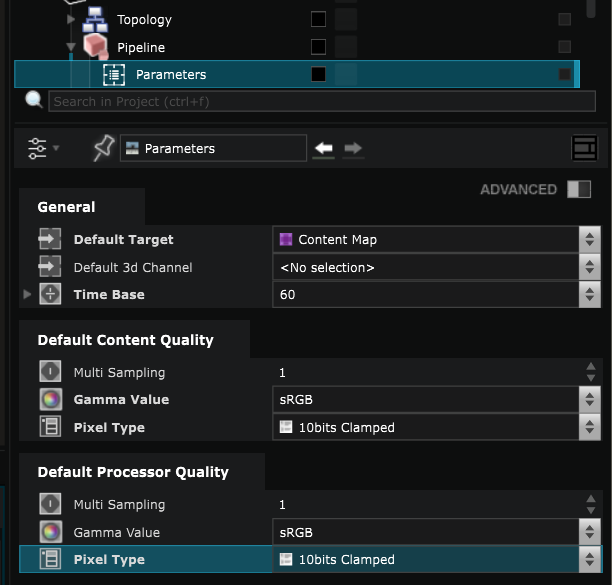
Test GPU compatibility
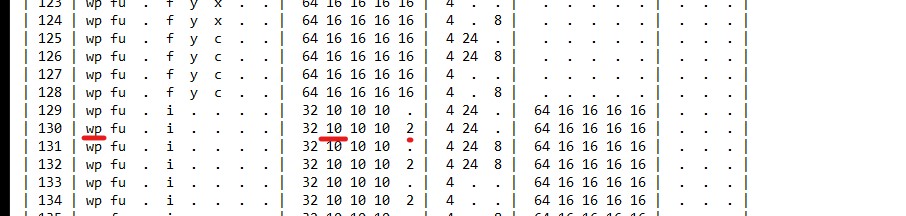
To check the 10-bit compatibility of your GPU, you can run the visualinfo.exe app, which will output a txt file with all supported pixel formats:Visual-Info.zip
Once you have run the app, you can open the .txt file and look for the wp line to see the color bit depth (in the example below, it’s 8).
If you scroll through the file in the wp section, you will see if your GPU supports 10 bits or not.
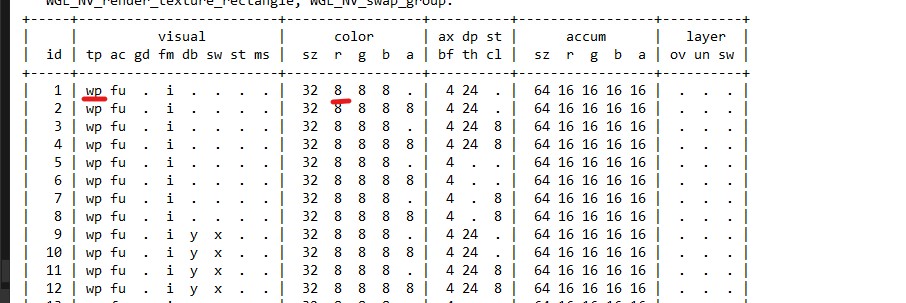
In this example, after ID 129, I can see the different 10-bit support that confirms that I can use a 10-bit color depth in Smode.