History Dropdown
History of edition commands relative to the current document
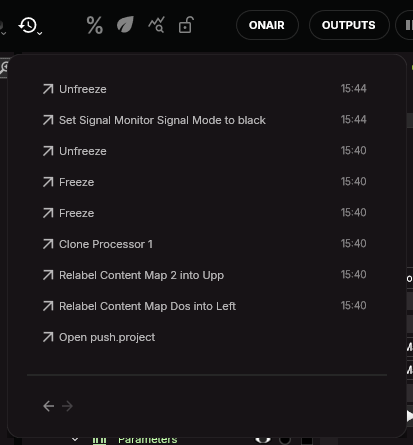
This panel tracks all the actions you have taken in SMODE:
You can return to the previous state using the keyboard shortcut Ctrl + Z and return to the next state using the keyboard shortcut Ctrl + Y .
You can also double-click on any command of the history to return to a specific state in the past or future:
You can then use the arrows on top to Undo the command before or Redo the command after.